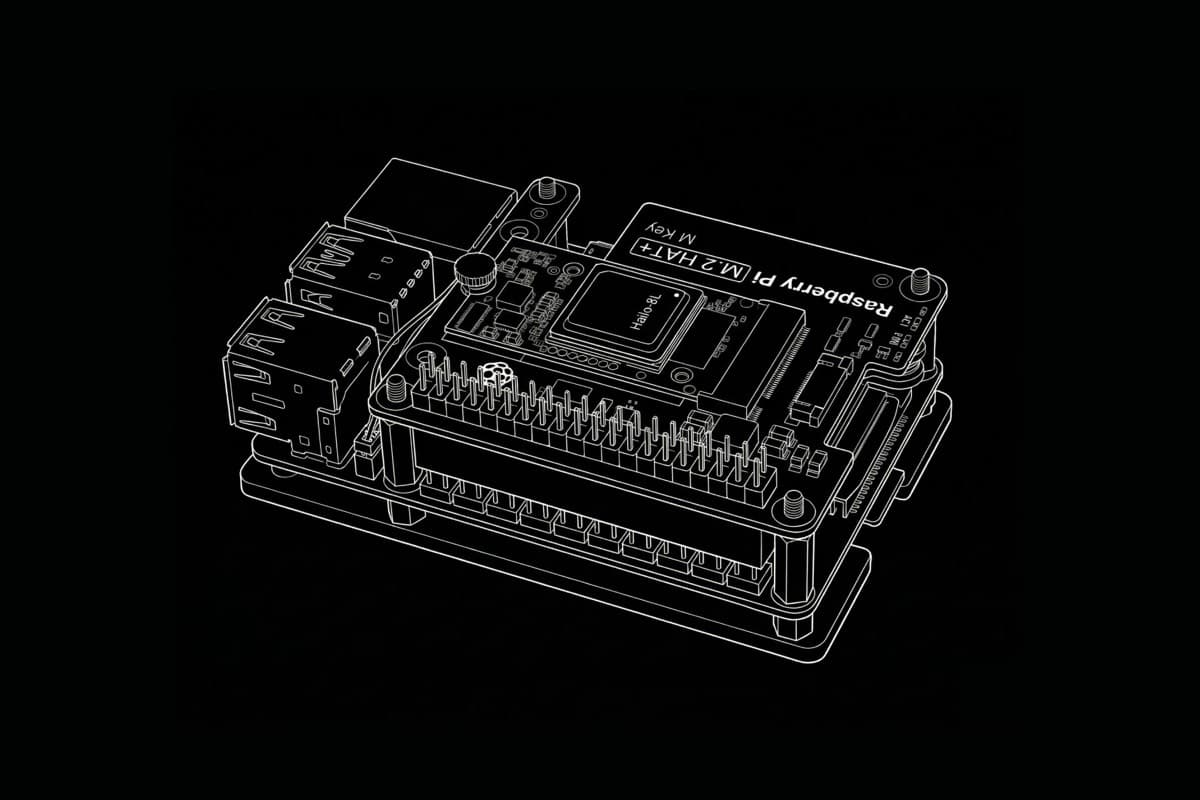
Locus Vision runs object detection and tracking entirely on a Raspberry Pi 5. No cloud, no video leaving the device. This post walks the three decisions that actually mattered: ONNX Runtime over PyTorch on ARM, INT8 PTQ with QDQ calibration on YOLO11n (10MB -> 3MB, ~3x ONNX FPS over FP32), and adding a Hailo-8L via the AI HAT+ with YOLOv6n at 355 FPS / 7ms hardware latency. Each section has the methodology, the numbers, and what didn't work.
Code is on GitHub.
ONNX Runtime over PyTorch
My first prototype was Python: OpenCV pulling frames, YOLO11 through PyTorch, ByteTrack on the output. Fine on a Mac. On a Raspberry Pi 5 it thermal-throttled inside a minute and sat at ~3 FPS.
The obvious knobs were resolution and frame-skip. I dropped input from 640 to 416 and skipped every other frame. That bought maybe 6 FPS. Better, but the wrong fix. The bottleneck wasn't pixels per second.
PyTorch is a training framework. At inference time on ARM, it pulls in a deep dependency tree and runs unfused ops through dispatch paths that weren't built for Cortex-A76. I ripped it out and moved to ONNX Runtime. Graph-level operator fusion plus ARM-tuned kernels selected at session creation. The jump was bigger than anything resolution tuning ever gave me.
INT8 PTQ on YOLO11n
Even on ONNX, throughput plateaued. I kept hunting FPS until I realized the limiting factor on the Pi isn't core clock, it's memory bandwidth. Moving FP32 weights from DRAM into the L2 every frame is what stalls the pipeline.
The fix is static INT8 post-training quantization with QDQ (Quantize / DeQuantize) nodes inserted around quantizable layers. I calibrated against a representative subset of deployment footage so the per-channel scales reflect the real input distribution, not COCO statistics.
The tradeoff isn't clean. INT8 cuts model size and bandwidth by roughly 70%, but accuracy degrades unevenly across classes. People and vehicles held up. Smaller and partially-occluded classes did worse. There's no shortcut for this; you have to benchmark on your actual data.
YOLO11n on ONNX-CPU went from 10MB to 3MB and stabilized at 14 FPS, 69ms median per-frame latency (single camera, single stream, Pi 5 CPU only, no NPU).
14 FPS sounds low. With ByteTrack on top, it's enough for footfall analytics: counting people across a line, dwell time per zone, vehicle detection in a parking area. ByteTrack carries IDs across brief occlusions, so the smoothness people perceive comes from the tracker, not the detector frame rate.
SQLite plus DuckDB
The vision pipeline ran. I assumed the hard part was over. It wasn't.
A single camera doing people counting and vehicle tracking generates thousands of coordinate rows per hour. Writes were fine: aiosqlite in WAL mode kept up. Reads were not. The frontend (Svelte and SvelteKit) needed to render hourly heatmaps and aggregate charts, and SQLite was taking multiple seconds to roll up a few hundred thousand coordinate rows. On an edge dashboard, that feels broken even when nothing is broken.
The fix was splitting the workloads:
- SQLite for operational state (camera configs, auth, stream settings).
- DuckDB for telemetry and tracking events.
DuckDB is columnar and vectorized. The same hourly-by-zone aggregation that took seconds in SQLite runs in under 10ms on the Pi. SQLite is the right tool for transactional writes. It's the wrong tool for aggregating millions of coordinate rows into spatial heatmaps.
Hailo-8L: YOLOv6n, not YOLO11n
Raspberry Pi's AI HAT+ adds a Hailo-8L NPU over PCIe, rated at 13 TOPS.
A caveat the marketing rarely states: not every model has a compiled HEF artifact for Hailo-8L. At the time of writing, YOLO11 does not, so I'm not running the same model on both backends. The CPU path runs INT8 YOLO11n via ONNX. The NPU path runs YOLOv6n via HailoRT. Different model, different binary, different graph.
What made the swap cheap was that the inference layer was abstracted around execution providers from the start. A model discovery step probes the host: if it sees the Hailo silicon, it dispatches to HailoRT, otherwise it falls back to ONNX-CPU. No call sites change.
YOLOv6n on Hailo-8L: 355 FPS, 7ms hardware latency per frame (single stream, hardware-only timing, model load and host-side preprocessing excluded).
I didn't expect that headroom. 14 FPS already covered the use case. The NPU is what makes dense multi-camera setups possible on one board, not what unblocked the project.
What it is
An $80 single-board computer running real-time multi-object tracking, spatial heatmaps, footfall analytics, and vehicle detection. On-prem, offline. No video leaves the device.
Code is on GitHub, and there's a Docker setup if you want to run it without touching the Python environment.